Vyzor 4K Studio Hero

Vyzor 4K Studio & VyzorCam — tell the story behind your data.

Two ways to visualize your training and adventures. On desktop, Vyzor 4K Studio renders smooth map animations, live gauges, photo cards, and portrait overlays — all locally. On iPhone, VyzorCam records video with live gauges and real-time sensor data.

NEW in 2.1 Multi-FIT (multi-day)
Vyzor 2.1 OUT NOW!.
Get Vyzor 4K Studio
Vyzor 4K Studio 2.0 - Animate your rides in stunning 4K with real-time overlays | Product Hunt

Vyzor 4K Studio (macOS & Windows)

Create cinematic data animations HUD overlays, photo stat cards (Snap) and portrait overlays (Reel). Renders locally in 4K.

Get Vyzor 4K Studio

macOS 14+ on Apple Silicon (M1+); Windows 10+ 64‑bit.

macOS Windows 64‑bit

VyzorCam (iOS)

Record videos with live gauges on top - speed, power, heart rate and more. Lightweight, sensor-aware, made for socials.

Learn about VyzorCam View on the App Store

iOS 18+. Available on the App Store.
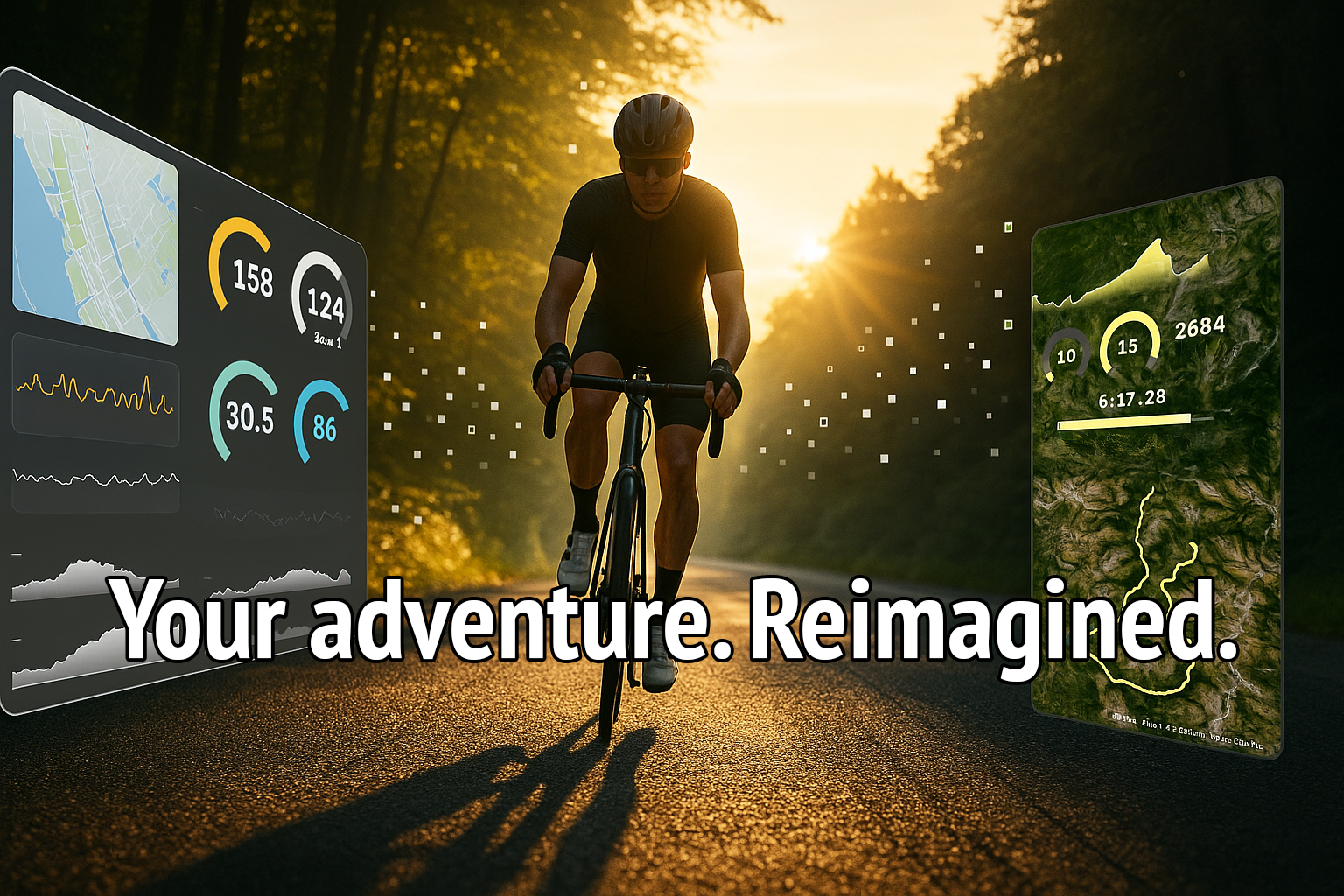
Vyzor 4K Studio isn`t about maps - it`s about meaning.
Your heart rate spikes, your effort zones, your climb to the summit — brought to life as cinematic overlays and animations.

What’s New in 2.1

Multi-FIT - Multi-day Event Support

Select several FIT files from a long trip. Vyzor sorts them by time, stitches streams, and builds one continuous activity.

  • Cumulative distance, time, and elevation across days
  • Chronological merge for HR/Power/Speed/Cadence
  • Mixed timezones OK when FIT timestamps are correct

Learn how it works →

VyzorReel — Portrait Video Overlays

Add live gauges to your clips with frame-accurate rendering.

  • Keeps your source resolution; 25fps via FFmpeg piping
  • Three gauges: Speed, Power, Heart Rate
  • Unit-aware (km/h ↔ mph, m ↔ ft) and pace/speed logic
  • Clean, high-contrast palettes for any background

Multi-FIT — Multi-day Event Support

Want to animate a bikepacking tour, stage race, or multi-day hike? Load several .fit files at once — Vyzor orders them by start time and creates a single continuous activity. Your totals and overlays reflect the whole journey.

  • Cumulative stats — distance, elapsed/moving time, and elevation add up across files
  • Stream stitching — HR, Power, Speed, Cadence merged chronologically
  • Timezone-aware — mixed TZ trips are OK if device timestamps are correct
  • No manual merging — keep each day’s FIT as exported; Vyzor handles the rest

Tips for best results

  • Don’t trim or rename your camera clips; Vyzor syncs by time/filename
  • Prefer FIT over TCX/GPX for richer, more consistent fields
  • Very large gaps between files will show as straight lines in animations
Get Vyzor 4K Studio Show me a long-trip Tale

Why Data Comes First

Fly UI
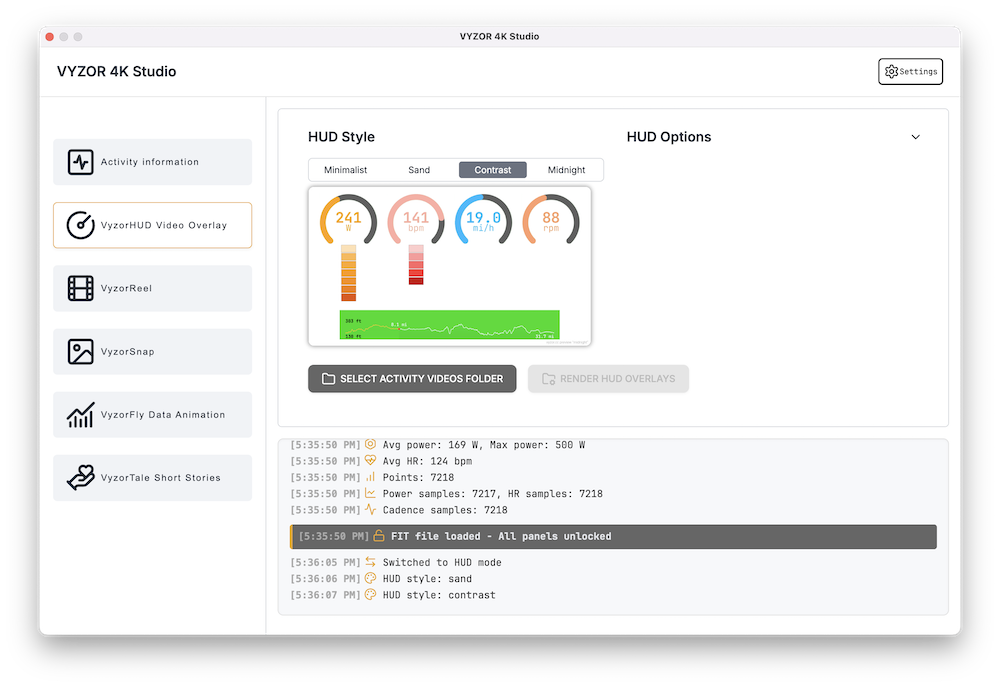
HUD UI

Dual Rendering Modes

Fly for animated data visuals. HUD for transparent overlays on video.

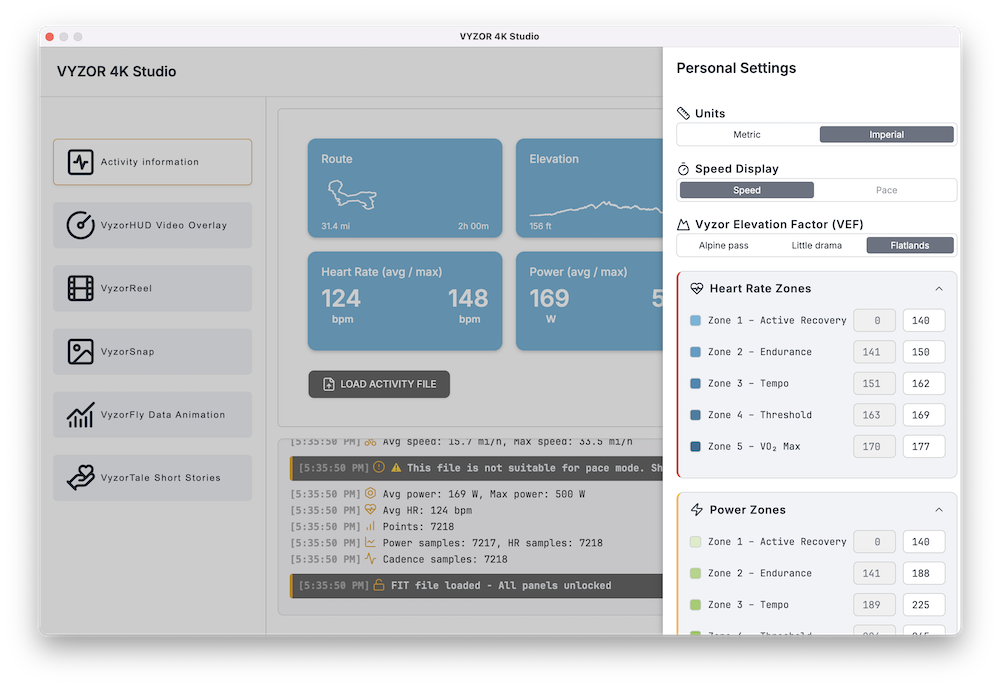
Personalized Effort Zones

Define your own HR & Power zones — not generic defaults.

Privacy-First Design

Everything renders locally — no cloud processing. Internet only needed for map tiles.

Curated Style Presets

Distinct looks, each powered by a hand-crafted palette.

Modular Overlay System

Power, speed, heart rate, cadence, and elevation — export as separate overlays for your NLE.

Green Screen Export

Crystal-clean chroma key compositing.

We Don`t Touch Your Footage

Your video files stay yours. Vyzor outputs overlays you can layer in any editor.

Smart Multi-Clip Sync

Match telemetry to multiple clips by timestamp. Now supports Multi-FIT multi-day trips.

Dashboard Summary

Preview your ride, key stats, and overlay elements before rendering.

VyzorTale Story Presets

Vertical HD-ready videos from GPS data — perfect for reels and social.

Settings
Tale UI

Persistent Personal Settings

Zones, colors, units saved across sessions.

High-Performance Pipeline

OffscreenCanvas + FFmpeg — 25fps exact match.

See It In Action

Ready to Turn Data into Stories?

Whether it`s training zones, race effort, or a weekend loop — visualize what mattered, where it happened, and how hard it felt.

Get Vyzor 4K Studio Now

VyzorCam — Live Gauges on iPhone

A simple iOS camera app for athletes and creators. VyzorCam overlays clean, legible gauges on your footage in real time — no desktop required.

  • Three designs: Icon+Text, Text-only, and Vyzor
  • Gauges: Speed/Pace, Power, Heart Rate, and Grade
  • 1080p output in portrait — tuned for social
  • BLE sensors: power, HR, speed (GPS fallback)
  • Quick gauge placement on a 3x3 grid
  • Privacy-first: nothing uploaded, no tracking
Get on the App Store Why Vyzor?

VyzorSnap — Photo Overlays

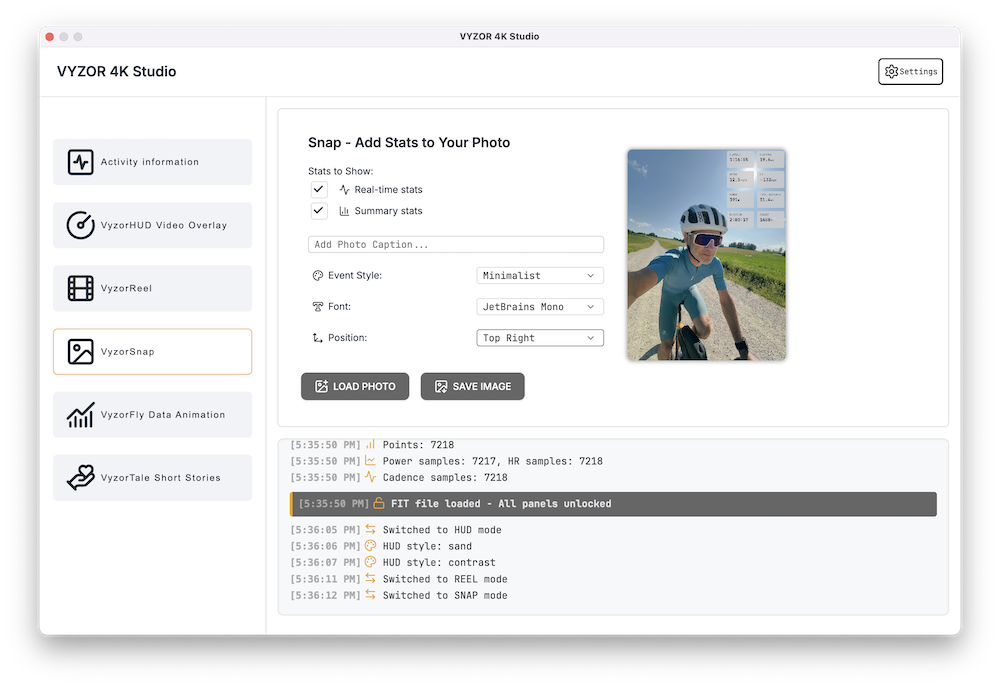
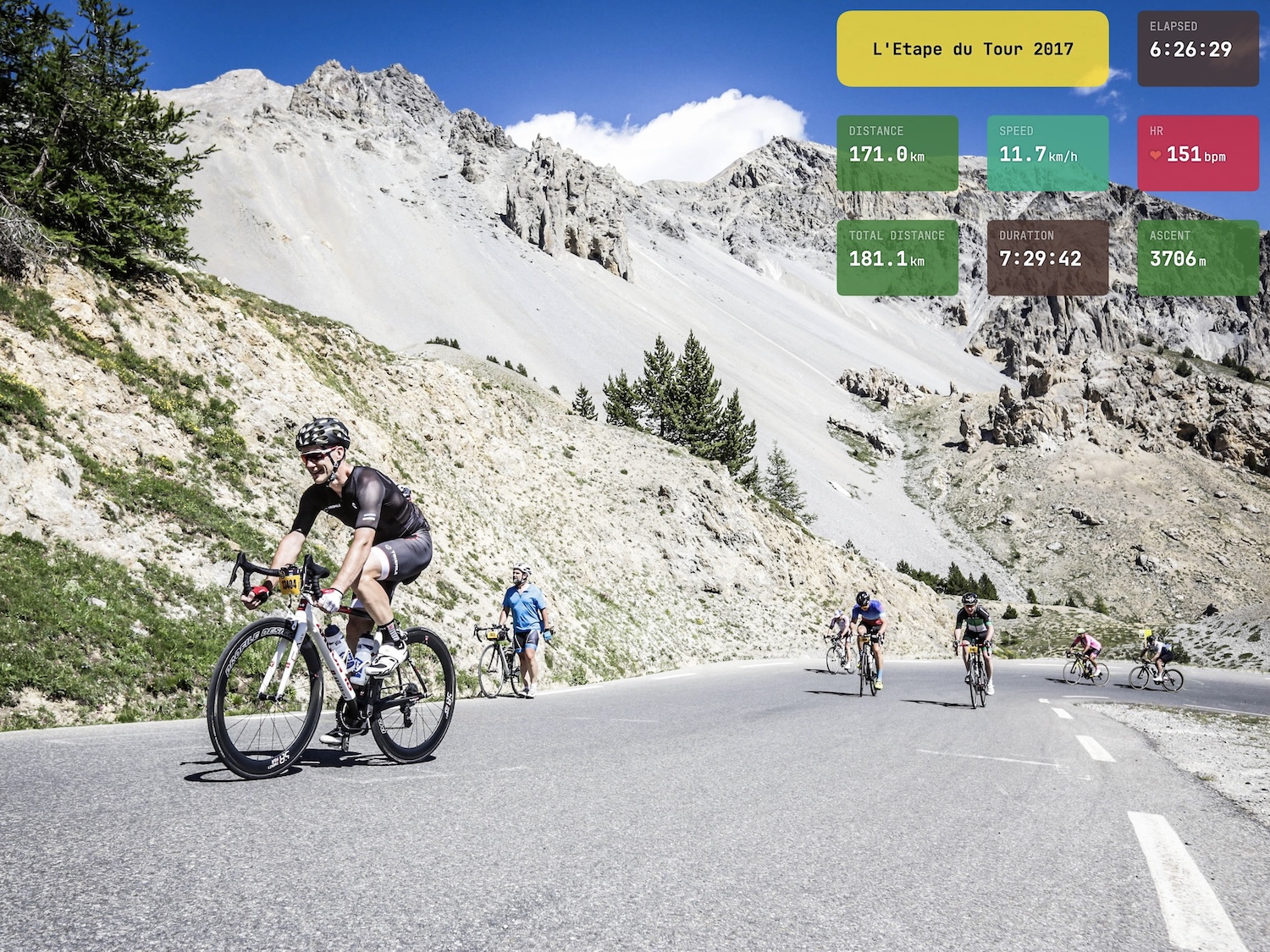
Create share-ready photos with clean, legible stats. Pick a font, color, and corner — Vyzor handles the layout and unit formatting. If a photo’s timestamp matches your activity, Snap can show real-time values at that moment; otherwise it falls back to a tidy summary card.

  • 4 corners • 4 fonts • Event color presets
  • Real-time stats (when photo time matches your activity)
  • Summary card mode when there`s no time match
  • Mass-event palettes: IRONMAN, L`Étape du Tour, Boston Marathon, …
  • Clean JPG export for socials
VyzorSnap photo overlay preview

VyzorReel — Portrait Video Overlays

Add live gauges to your clips without touching your original footage. VyzorReel renders an overlay and composites it with your video using FFmpeg, staying frame-accurate and unit-aware — and it keeps your source resolution.

  • Keeps your source resolution; 25fps pipeline
  • Gauges: Speed, Power, Heart Rate (no elevation)
  • Matches your Vyzor units & pace logic
  • High-contrast palettes designed for any background

Visual Presets with Purpose

Choose from four distinct storytelling styles — each preset combines a custom basemap, curated palette, and overlays designed for different ride moods.

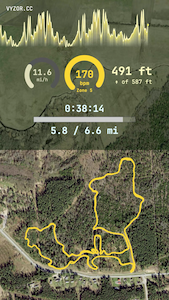
Forest Run Preset

Forest Run

Satellite map view
HR-colored elevation chart
Live distance and ascent counters

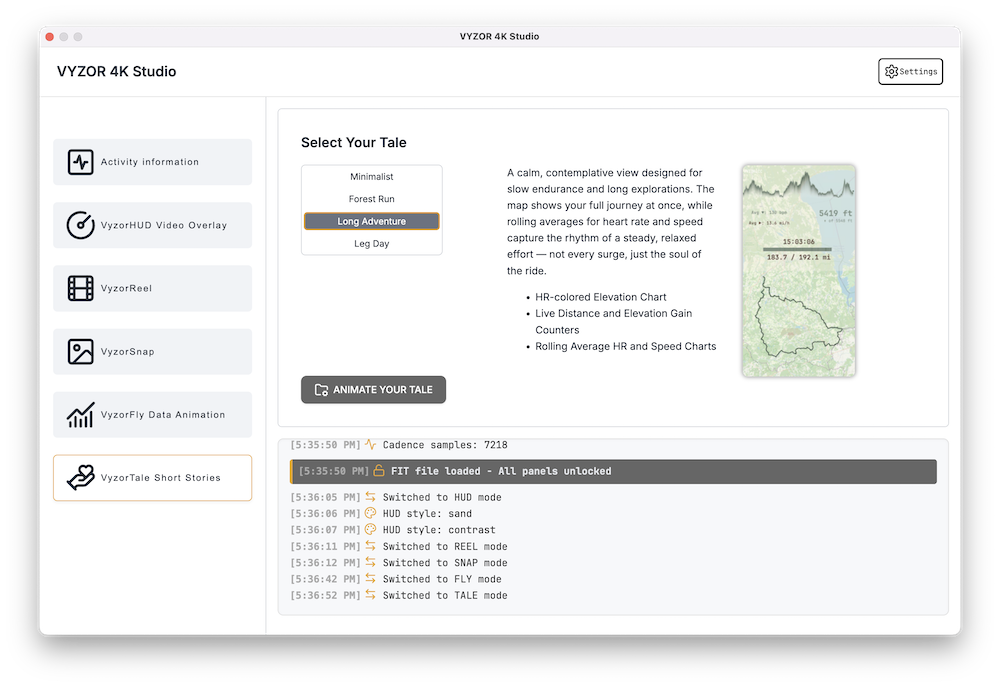
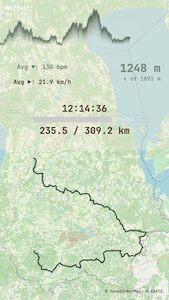
Long Adventure Preset

Long Adventure

Top‑down full-route map
Rolling average HR & speed
Live elevation and distance tracking

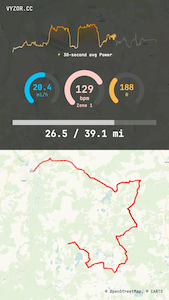
Leg Day Preset

Leg Day

Bold Voyager map
Power or speed chart
Live HR, speed, and power gauges

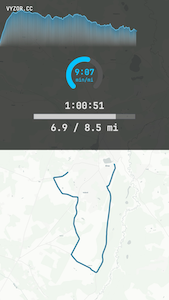
Minimalist Preset

Minimalist

Clean grayscale map
HR-colored elevation chart
Minimal gauges with floating distance

Fully vertical. Full-HD resolution. 60-second MP4 videos — generated from your FIT, TCX or GPX in one click.

Real Stories. Real Data.

Here`s what it looks like when you bring your GPS data to life with Vyzor.

Who It's For

Vyzor 4K Studio is built for people who move — and want their data to move with them:

  • Endurance athletes - cyclists, runners, triathletes training with power & heart rate
  • Adventure travelers - hikers, moto riders, backpackers documenting long routes
  • YouTubers & creators - storytellers crafting cinematic ride breakdowns or training vlogs
  • Coaches & analysts - present performance data visually and clearly

If you use a GPS tracker and want to tell the story behind the stats — Vyzor was made for you.

Made with Vyzor Tale

Why I Built Vyzor

I`m an adventure cyclist and cybersecurity guy who loves data — but also good stories. Most tools I found were bloated, overhyped, or locked behind subscriptions. None felt honest.

Vyzor is my answer. I built it to be powerful, but grounded. One version. One price. No gimmicks. Just a tool crafted with care — for people who value clarity and control.

— Rando

Get Vyzor

Pricing

One version. One price. No upsells. No subscriptions. No locked features. Built on principles I believe in: clarity, fairness, and freedom.

Vyzor 4K Studio for macOS & Windows - yours forever for €79*.

Includes everything — Fly animations, HUD overlays, VyzorTale story presets, plus the new VyzorSnap and VyzorReel.

  • Lifetime macOS license
  • All features unlocked — Fly, HUD, Tale, Snap & Reel
  • Multi-FIT: load multiple FIT files into one continuous activity
  • Free updates included
  • No subscriptions or upsells
  • Immediate download after purchase
Buy Vyzor 4K Studio

Secure Paddle checkout. No recurring charges. Yours to keep.

Code‑signed installers for macOS & Windows.

* macOS 14+ on Apple Silicon (M1 or better); Windows 10+ (64‑bit).

Terms & Conditions

Version 2.0 - August 2025

1. Welcome!
Thanks for using Vyzor. This app helps you create 4K map animations and telemetry overlays from your activity data.

2. License
When you buy Vyzor, you're getting a personal license to use the app. Install it and make unlimited videos — personal or commercial. Just don`t resell, redistribute, or reverse-engineer the app.

3. Who Owns What
The app and code are mine. Your ride files and videos are yours — always.

4. No Tracking
Vyzor doesn`t collect data, track you, or send anything to the cloud. What happens on your Mac stays on your Mac.

5. No Guarantees
I do my best to keep Vyzor stable, but there`s no warranty. Use it at your own risk.

6. Refunds
If Vyzor genuinely doesn`t work for you, email me within 14 days. I`ll help or refund — no hoops, no hassle.

7. Updates
Free updates included. If anything big changes, I`ll let you know.

8. Contact
Questions or ideas? Email: hi@vyzor.cc